Experience Center · Golden Salon (a test business)
Buy stock from your supplier
HERA raises and approves the order, receives shampoo into stock, matches the supplier bill to the order and delivery, and records payment in the books.
Review this in your workspace. You choose whether to record it.
Historical recorded example
What changed
14 Nov 2026 · This test-business recording is not your business data or a new live verification.
- Order
- SUB-aa1f451e, approved
- Items
- Shampoo 250ml × 15 at 20.00
- Delivery
- OCC-ce333071d8fd5be2, 15 received
- Supplier's bill
- EE-2026-11-14-b1aeb6d3, 300.00
- Payment
- EE-2026-11-14-a9fa012b, 300.00, paid in full
- Stock on hand
- 71 → 86
Inspect recorded evidence · 15 steps
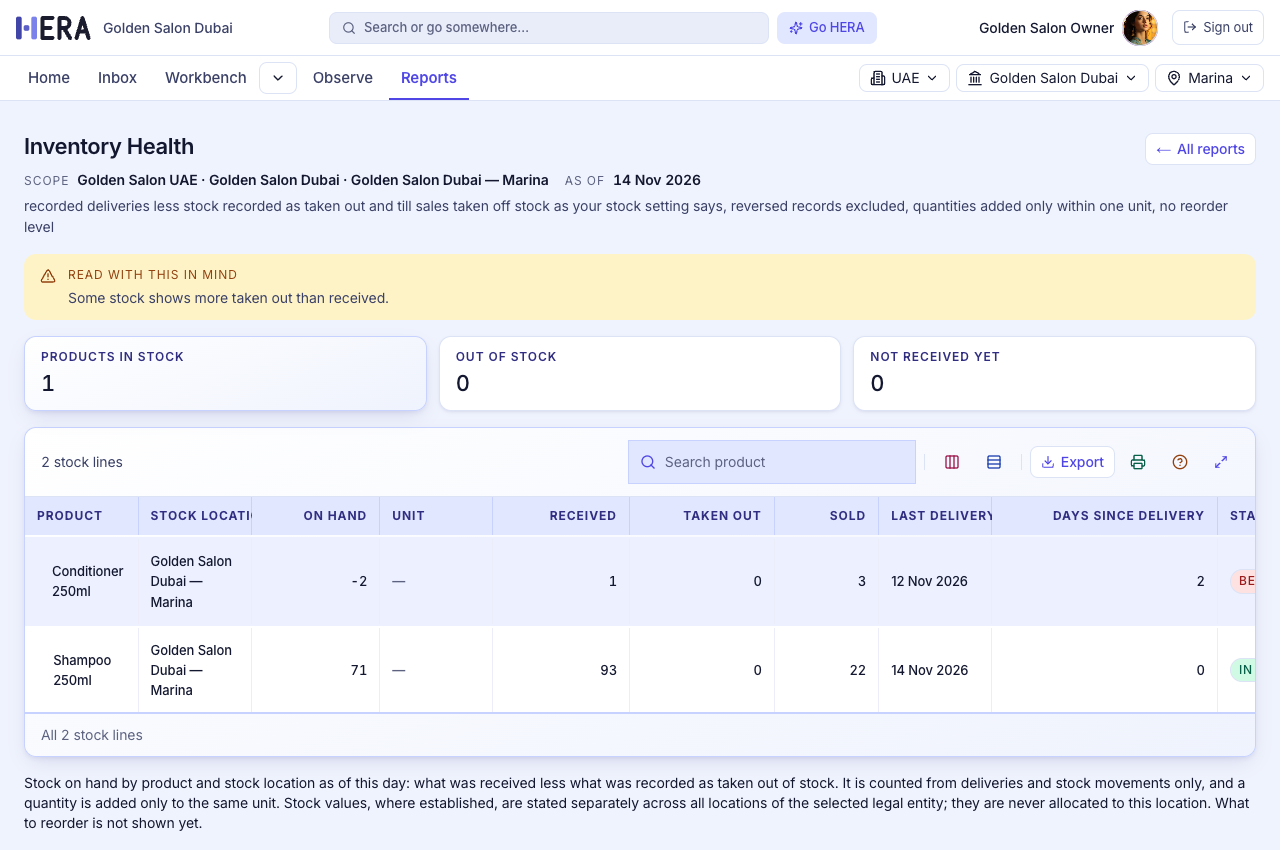
Step 1 of 15Stock before the orderShampoo 250ml: 71 on hand, 93 received so far
Press Enter or → for the next step, ← to go back.
Make it yours
Your customers see your business.
HERA runs underneath. What your team and your customers see carries your name and your brand.
Opens HERA's sign-in. Tell HERA what you need. Nothing is set up or recorded until you confirm it.
About setting up your business
Your setup, step by step
Each step is coming next.
- Your business name and receipt detailsName, address and tax number on every receipt and invoice.
- Your logo and coloursYour brand on the screens your team and customers see.
- Your products, customers and suppliersBring in what you already sell and who you sell to.
- Your teamInvite the people who work with you and choose what each can do.
- Your rulesWho approves what, and above which amount.
- Review and approve your setupSee everything in one place before your business starts.
Coming next
- A branded page for your customers to book, buy and see their receipts
- A branded page for your suppliers
- Branded invitations and notifications
- Your own web address
Plans and pricing: Price pending approval.